


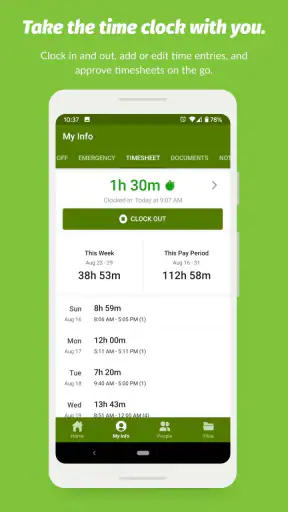
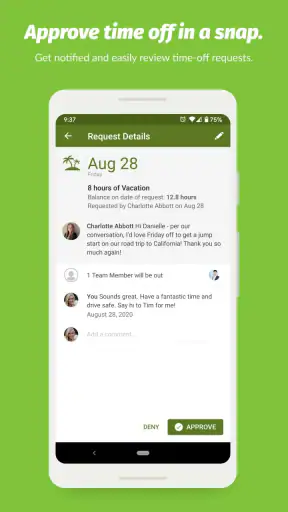
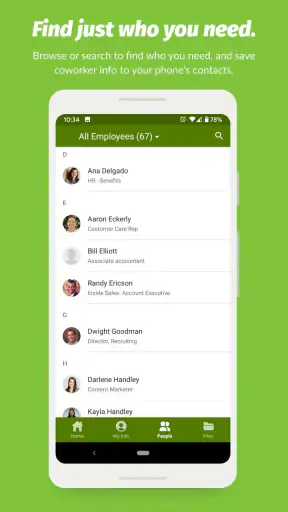
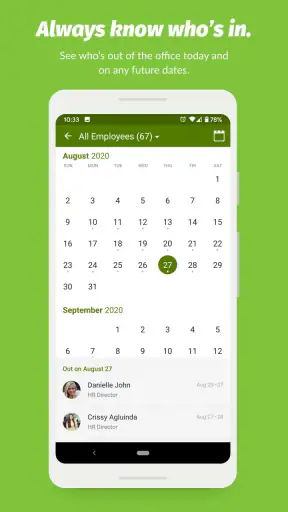
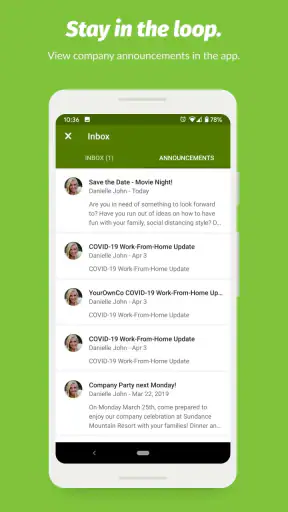
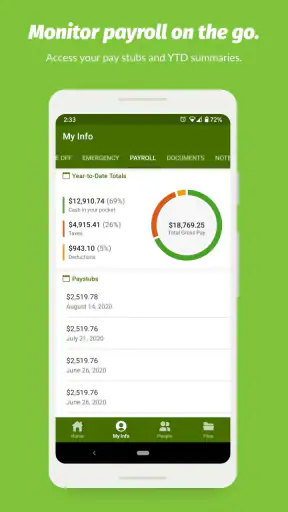
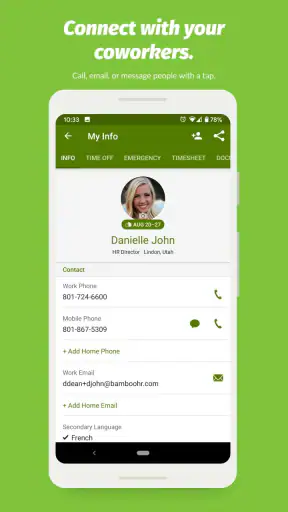
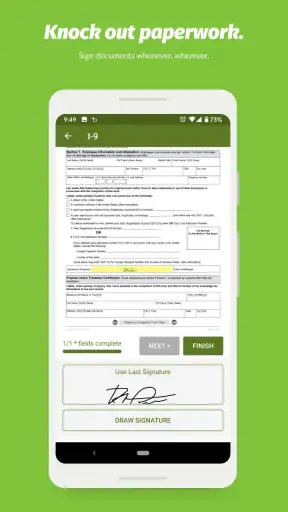
Managing work information from a phone sounds simple until everyday tasks start pulling in different directions. I reviewed BambooHR as a business app with one practical question in mind: can it make routine employee and HR work easier when you are away from a desk? My impression is that it works best as a mobile doorway into an organization’s HR system rather than as a complete replacement for every desktop task.
The app is developed by BambooHR LLC and is free to install, with an Everyone age rating. It has been available since December 17, 2012, and its Android listing shows version 4.24.0.1059 for devices running Android 8.0 or later. Its average rating is 3.8 from around fifteen thousand ratings, while more than a million installations suggest that it is used well beyond a small group of early adopters.
That combination tells me something useful before even opening it: BambooHR is aimed at real workplaces, not personal organization. Whether it is valuable to you depends heavily on whether your employer uses BambooHR as its HR platform. If your company does, the app can put important work information closer at hand. If it does not, installing it alone will not turn it into a general employee-management tool.
Why mobile access to HR information matters
The capability that makes the difference
The most meaningful capability here is the ability to handle HR-related work from a mobile device instead of treating the office computer as the only place where employees can interact with the system. That matters because many HR questions appear at inconvenient moments: checking a work detail before a meeting, reviewing information while traveling, or dealing with a time-off request when you are not sitting at your desk.
I see BambooHR less as an app that creates a new work habit and more as a way of shortening the distance between an employee and the company’s existing HR records. That distinction is important. The value does not come from browsing the app for entertainment; it comes from removing small delays and unnecessary messages to HR or a manager.
For an employee, this kind of access can make routine administration feel less formal. Instead of waiting until you are back at a laptop, you can open the mobile experience when the question occurs to you. For a manager, it can make people-related follow-up easier to fit around a busy day. For an HR team, the benefit is potentially fewer simple requests that could be handled by the employee directly.
Still, I would not describe the app as a universal workplace command center. BambooHR belongs to the business category, and its usefulness is tied to how an organization has configured and adopted the broader service. The mobile app can be convenient, but it cannot fix unclear company policies, incomplete records, or a workplace that does not actively use its HR system.
How I would use it during a normal workday
Imagine that I am preparing for a short trip connected to work. Before leaving, I want to check an HR detail and make sure my planned absence is handled properly. Rather than opening a laptop, searching through old messages, or asking a colleague to confirm something, I would start with BambooHR on my phone. The useful part is not any single tap; it is having a familiar starting point for employee administration.
That workflow also changes how I think about timing. A mobile HR app is most useful when the task is small but time-sensitive. If I postpone it until I am at a desk, it can disappear beneath meetings and email. If I can deal with it while the question is fresh, the chance of forgetting it is lower. This is a modest improvement, but small improvements are exactly where a workplace app earns its place.
I would also use the app as a reference point before contacting HR. That does not mean I would assume every answer is available there. Instead, I would first check the information connected to my employee profile or workplace process, then contact the right person if the situation needs interpretation. This two-step habit can make requests clearer because I can explain what I already checked and what remains unresolved.
For managers, the same approach can help with quick follow-up. A manager who is moving between rooms or working away from a desk may not want to open a full desktop system for a simple people-related task. Mobile access lowers that barrier. However, I would still reserve sensitive or complicated decisions for a calmer setting, where details can be reviewed carefully rather than handled hurriedly on a small screen.
Where the app fits beside email and spreadsheets
The usual alternatives in smaller businesses are often email, shared spreadsheets, paper forms, or a mixture of all three. Those methods can work when a team is tiny, but they make responsibility unclear. An email request may be buried, a spreadsheet may have several versions, and a paper form may not be available when someone needs it.
BambooHR offers a more structured place for HR-related activity. That structure is its main advantage over improvised tools. Instead of asking which document is current or who should receive a request, employees have a defined system connected to the company’s HR process. The trade-off is that a structured system requires the organization to maintain it properly.
Compared with a general productivity app, BambooHR is more specialized but less flexible. A notes app can record anything, and a messaging app can reach a colleague quickly, but neither one is designed to serve as the company’s HR reference point. Conversely, a general collaboration platform may be better for discussion, project work, or quick team decisions. I would not use BambooHR as a replacement for those tools; I would use it for the HR layer they do not organize well.
Compared with a desktop browser, the mobile app is more convenient for short interactions and quick checks. The browser remains the better choice when a task involves careful comparison, extensive reading, or a lot of information on screen. That is not a weakness unique to BambooHR. It is a basic trade-off of doing administrative work on a phone.
A realistic scenario for employees
Consider an employee who notices a conflict between a planned personal appointment and the work calendar while commuting home. The employee does not need a long meeting; they need to begin the appropriate HR process while remembering the details. A mobile app can make that first step easier, especially if the employee is already accustomed to handling work administration from a phone.
The important insight is that mobile access is not only about convenience. It can improve the quality of timing. Requests made immediately are less likely to rely on memory, and information checked close to the moment of need is less likely to be based on an outdated note. I would still review the result carefully, but I would rather start from the company’s system than from a personal reminder or an old email thread.
There is another useful scenario for distributed teams. When colleagues work in different places, the employee should not have to depend on someone in the office to answer a basic HR question. A mobile HR app can reduce that location problem. It does not remove the need for human support, but it can make the first step independent of where the employee happens to be.
Small habits that make the experience better
My first practical tip is to treat the app as a source of current workplace information, not as a personal archive. I would avoid keeping parallel copies of important details in random notes unless there is a clear reason. Multiple unofficial copies create confusion, particularly when a company changes a process or corrects an employee record.
My second tip is to use mobile access for initiation and checking, then move to a larger screen when the task becomes complex. This avoids forcing a phone interface to handle work it is not suited for. A quick review can happen on the phone, while a detailed decision deserves more space and attention.
My third tip is to separate factual checking from policy interpretation. An app can help me find or submit information, but it does not replace judgment about how a company rule applies to an unusual situation. If something affects a sensitive personal matter, I would use the app as the starting point and then confirm the next step with the appropriate HR contact.
A fourth habit is especially useful for managers: do not confuse immediate access with an obligation to respond instantly. Mobile tools can create pressure to deal with every request the moment it appears. I would use BambooHR to stay informed and keep work moving, but I would not make rushed decisions simply because the information is available in my pocket.
The friction I would expect
The clearest limitation is dependence on employer adoption. An employee cannot get the full benefit from an HR platform if the organization has not set up its processes consistently or does not keep employee information current. This is why I would ask my employer how BambooHR is used before judging the app solely from the mobile interface.
Another limitation is the size of the screen. HR information can be dense, and administrative tasks often involve names, dates, categories, and careful wording. A phone is excellent for a quick look, but it is less comfortable when I need to compare several details or think through an exception. The app’s convenience should not encourage careless confirmation.
I also see a possible learning curve for employees who are not accustomed to handling workplace administration digitally. The app may feel straightforward once the company’s process is familiar, but the first experience depends on how clearly the employer explains what belongs in BambooHR and what should still go to a person or another workplace tool.
Privacy is another reason to use judgment. An HR app deals with work-related personal information, so I would be deliberate about where I open it and how I protect the phone itself. I would avoid reviewing sensitive details in a crowded public place and would keep the device secured. These are sensible habits for any employee app, but they matter more when the app connects to personnel information.
Who is likely to benefit most
BambooHR is a strong fit for employees whose companies already rely on BambooHR for HR administration and who regularly work away from a desk. It is also useful for managers who need occasional mobile access without carrying a laptop for every small task. The app makes the most sense when the organization has a clear process and employees are encouraged to use the system directly.
Small and medium-sized businesses may find the centralized approach particularly helpful because it can replace scattered administrative habits with one recognizable workplace destination. That does not mean every small business needs it. A very small team with simple needs may prefer a lighter process, especially if the cost and setup of a full HR platform outweigh the convenience of mobile access.
I would be more cautious about recommending it to someone looking for a standalone personal HR organizer. The app is not something I would install expecting it to manage an independent freelance career, a private employee database, or general task lists. Its value comes from being connected to an employer’s BambooHR environment.
I would also steer a company toward comparing alternatives if it needs a highly specialized HR workflow, extensive analytics, or a platform centered on a different business priority. BambooHR may be a sensible general HR choice, but the best option depends on the organization’s size, processes, compliance needs, and willingness to maintain accurate information. A polished mobile experience cannot compensate for a mismatch at the system level.
My view after weighing convenience against control
What I like most is the practical reduction in friction. BambooHR gives employees a way to approach routine HR work from the device they already carry, which can make small but important tasks less likely to be postponed. The app is especially convincing when the alternative is an email chain, a spreadsheet, or waiting for access to a desktop.
What keeps me from calling it essential for everyone is that the experience depends on the employer behind it. The app is a useful front door, not the whole house. If the company’s records are unclear, its policies are poorly communicated, or its HR process is not designed around the platform, mobile access will only expose those problems more quickly.
With a 3.8 average and around fifteen thousand ratings, the reception is positive enough to show clear usefulness but not so high that I would ignore the possibility of uneven experiences. That feels consistent with an app whose success depends partly on workplace setup. One employee may find it indispensable, while another may barely need it.
My recommendation is straightforward: if your employer uses BambooHR and you often handle work away from a computer, I think the free app is worth trying. Use it for quick checks, timely requests, and keeping HR tasks connected to the official workplace record. Keep a desktop browser or human support available for complicated matters, and do not treat mobile convenience as a substitute for careful review.
For the right workplace, BambooHR turns HR administration into something more accessible and less tied to a desk. For someone without that workplace connection, it is unlikely to offer much on its own. The real benefit is not having more software; it is having the right HR information available at the moment a routine work decision needs it.


